
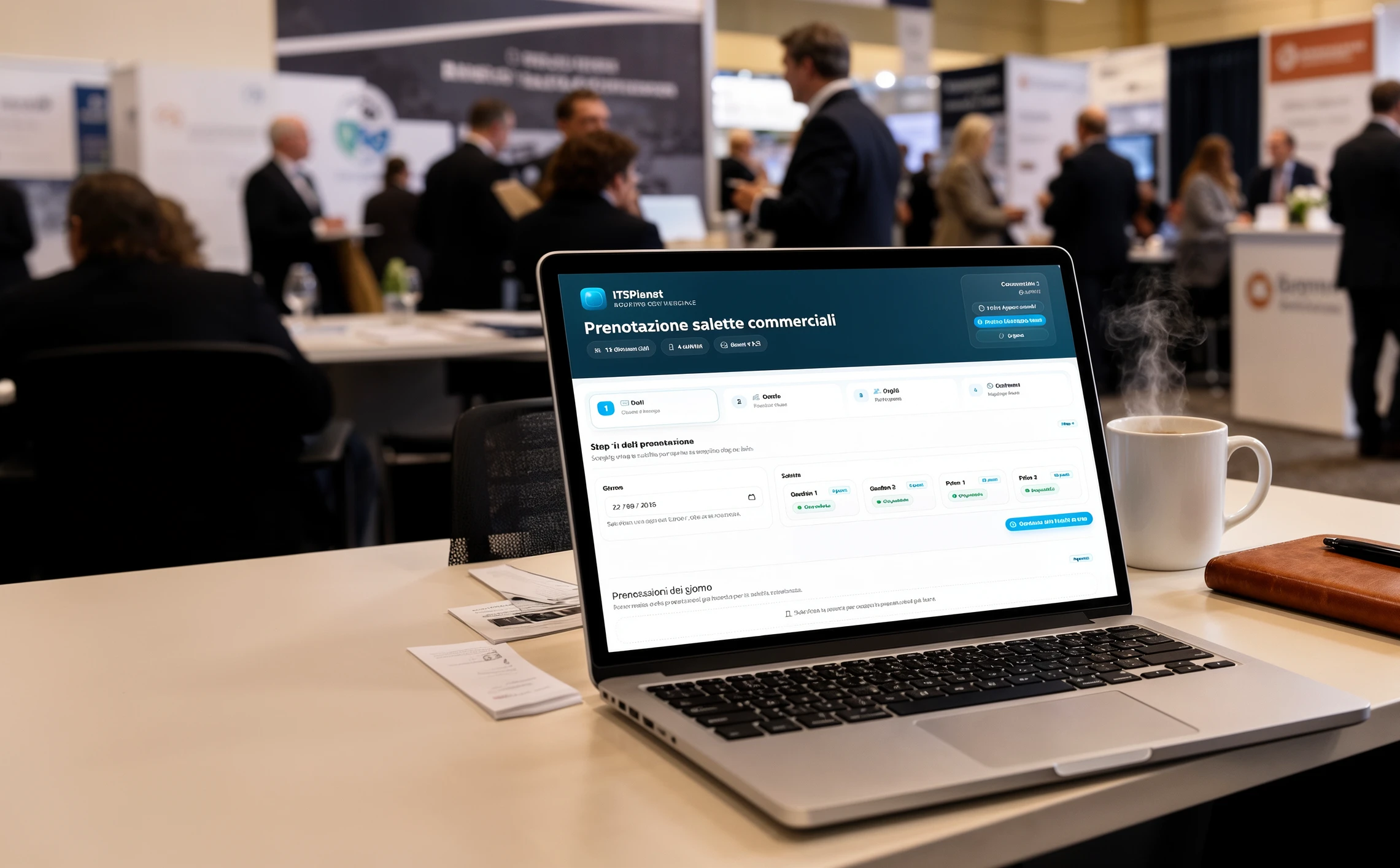
Without a dedicated system, meeting-room management creates overlaps, misalignment and wasted time

In trade-show settings you need speed, precision and visibility. When room reservations are handled through fragmented tools, keeping control of shared resources becomes much harder.

Fragmented processes

Spreadsheets, chats and emails are not enough
When each request passes through different channels, manual work increases and the shared schedule becomes less reliable.

Availability is not aligned

Real-time visibility is missing exactly when you need it
Without centralized control, rooms and time slots can appear free even when they are already taken, creating double bookings.

Operational ambiguity

Users and guests need a clear flow
If date, time, participants and room capacity are not governed by defined rules, errors multiply during the busiest moments of the event.

Final booking summary in RoomPlanner
RoomPlanner

A platform designed to keep booking simple, fast and controlled

RoomPlanner does not require technical skills or complex steps: the user is guided through a step-by-step flow while the system handles availability, data consistency and operational rules.

The user experience is built to simplify sales-team operations: restricted access, day and room selection, time-slot definition, participant entry and final confirmation with full summary.

Restricted access and personal area

Access is reserved to authorized users. Each sales user works inside a dedicated environment with role-consistent functions and a clear view of personal bookings.

Guided booking wizard

Each reservation is created through a structured wizard that guides the user step by step, avoids messy input and improves data quality.

Date and room selection

RoomPlanner lets users choose the correct date and room among configured resources, handling stand meeting rooms, demo areas and shared spaces with clear operational rules.

Real-time availability and time slots

The system checks room availability in real time, blocks already occupied combinations and defines the schedule through an interactive timeline that is clearer than manual fields.

Participants and room capacity

Each reservation can include participant names and optional emails, while the system automatically checks that the number of guests fits the actual room capacity.

Summary, notifications and export

Before confirmation the user sees a complete summary; after saving, RoomPlanner can send automatic emails with .ics files and provide Excel agenda export inside the personal area.

RoomPlanner works best when you need operational order, clear rules and shared resources

Business value

What really improves in day-to-day operations

RoomPlanner turns a repetitive and often fragmented task into a more solid, measurable and professional digital process.

  • Less manual work and fewer schedule conflicts.
  • More control over available resources and tracked activities.
  • A more structured experience for sales teams, users and guests.

Five screenshots that show the real RoomPlanner flow

From restricted login to time-slot selection, participant entry, final summary and personal agenda: these screenshots show the real product, not a generic concept.

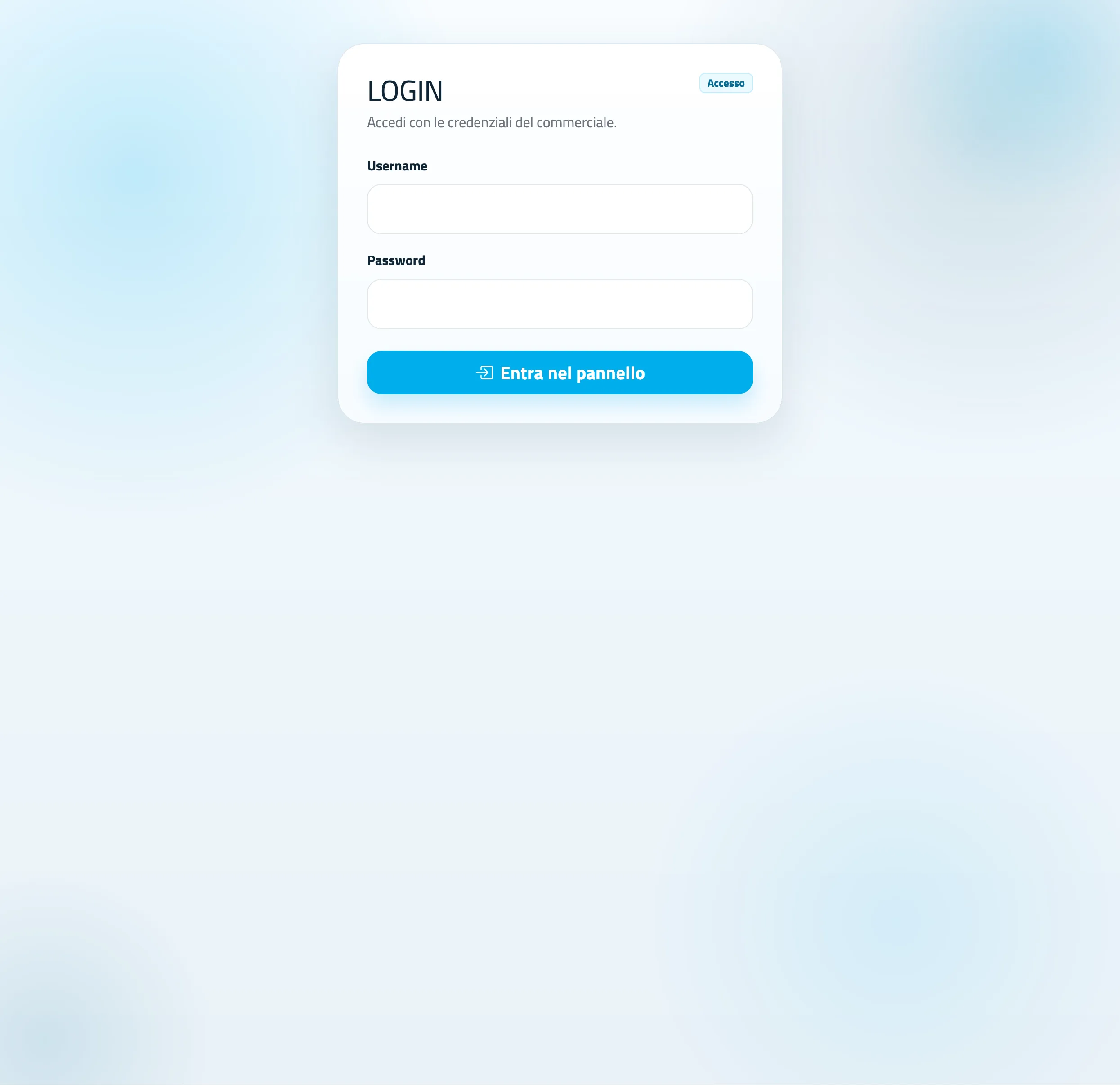
Login screen of the RoomPlanner platform

Restricted login

Each sales user enters with dedicated credentials and reaches a personal workspace aligned with the operational role.

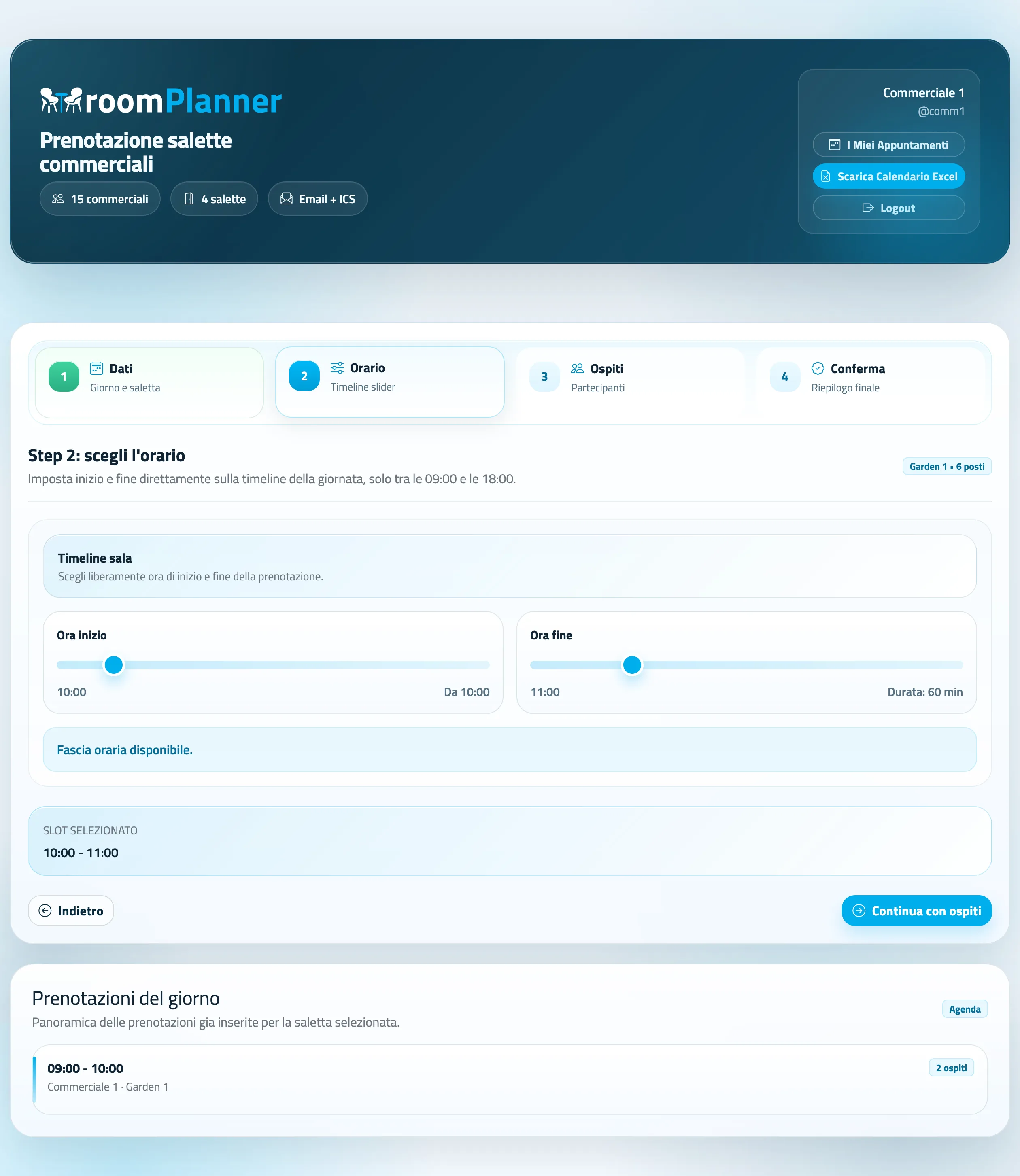
Time-slot selection in RoomPlanner

Timeline for time-slot selection

The schedule is defined directly on the daily timeline, with available slots, calculated duration and immediate conflict control.

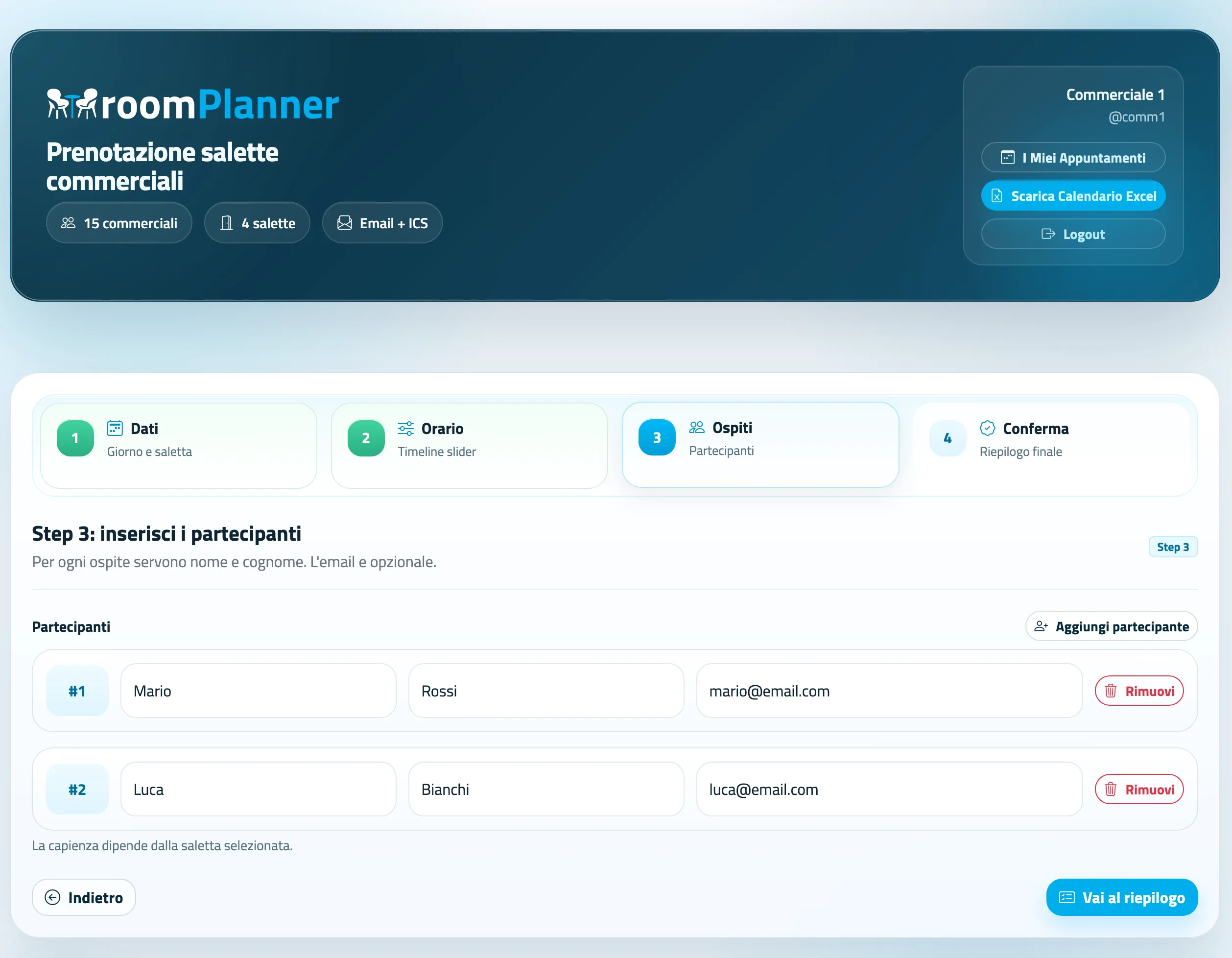
Participant entry in the RoomPlanner platform

Participant entry

The sales user can add guests in a structured way, with essential details and a coherent capacity check based on the selected room.

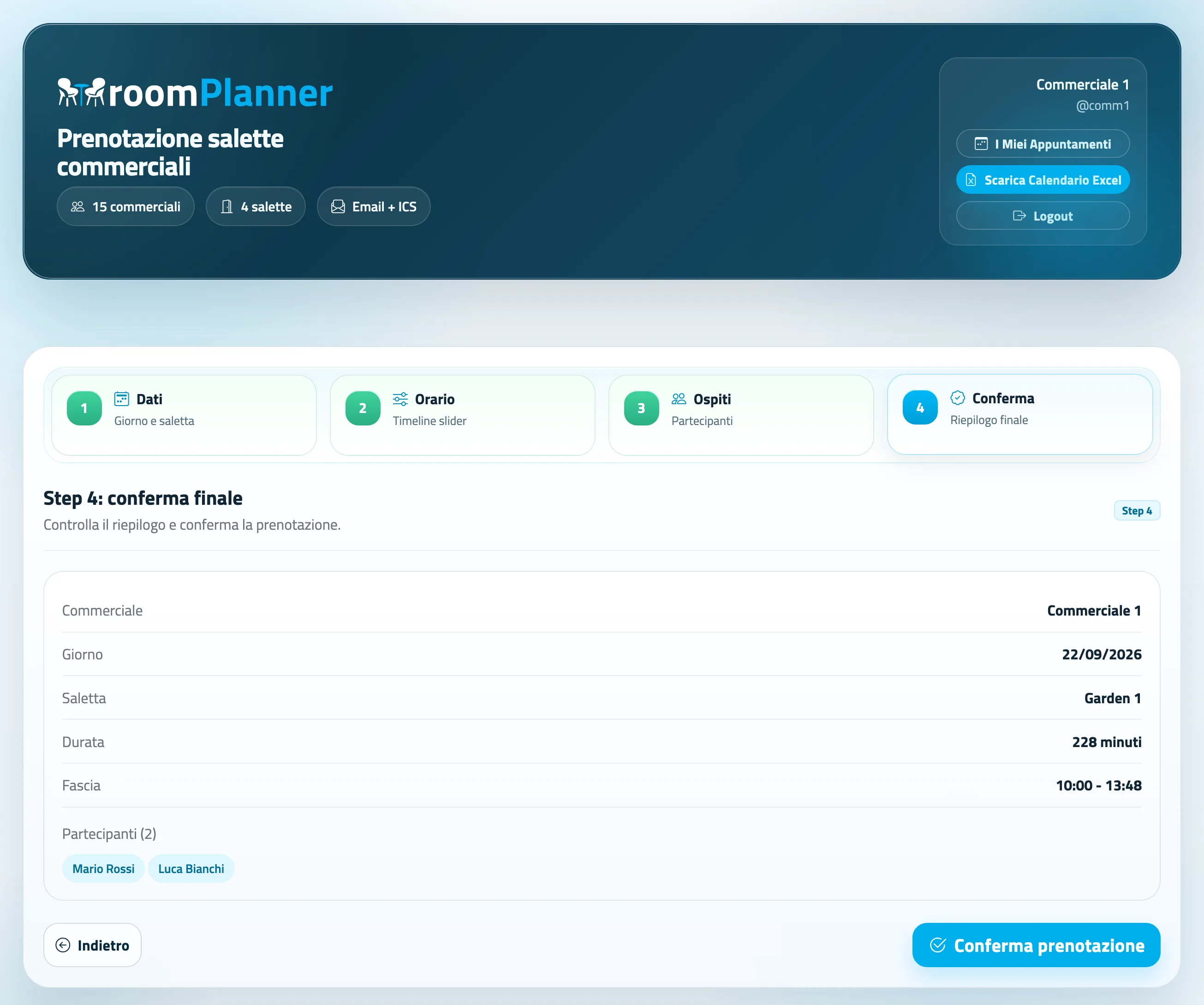
Final booking summary in RoomPlanner

Final summary before confirmation

Before saving, the system shows a complete summary including sales user, date, room, time range, duration and participants, reducing errors and misalignment.

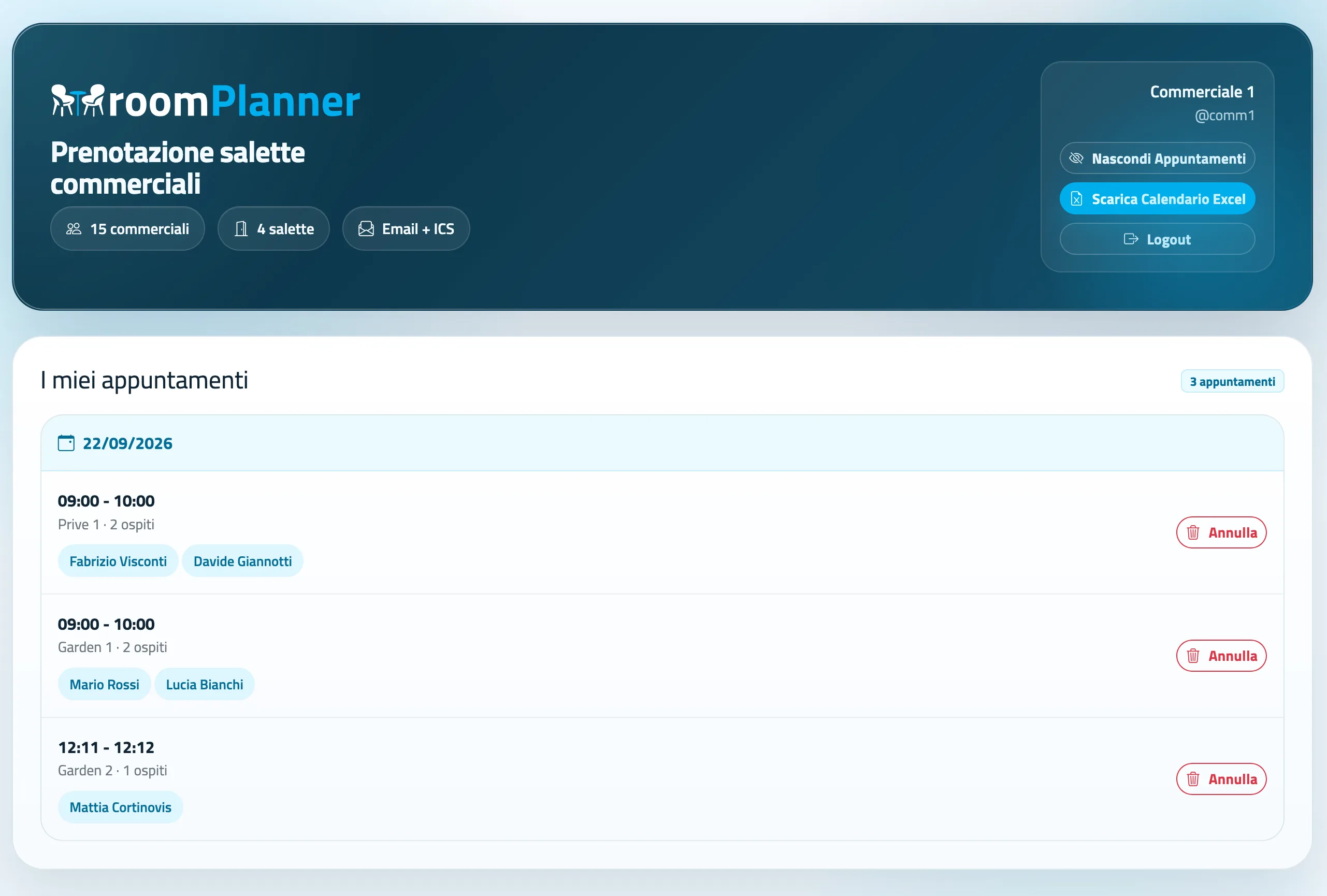
RoomPlanner personal area with appointment list

Personal area and calendar

Each sales user can review appointments, download the Excel calendar and cancel reservations independently when needed.

A five-step flow built for busy operational contexts

RoomPlanner guides the user through a step-by-step logic that reduces errors, speeds up completion and keeps the interface readable even during high-intensity trade-show operations.

01

Authenticated access

The sales user logs in with personal credentials and enters a restricted workspace.

02

Date and room selection

The user selects the correct date and room among the available configured resources.

03

Time-slot definition

The schedule is defined through an interactive timeline, with automatic consistency checks against other appointments.

04

Participant entry

Participants are entered with their related data, within the maximum capacity allowed by the selected room.

05

Final summary

Before confirmation, the user reviews a complete summary including sales user, date, room, time, duration and participants.

The concrete advantages of RoomPlanner for the business

The product improves operational management of commercial meeting rooms and makes coordination between the people involved much smoother during trade shows, expos and exhibition events.

Fewer booking errors

Automatic checks on availability, capacity and final summary drastically reduce the risk of wrong or overlapping bookings.

Fewer conflicts, more speed

The guided flow makes reservations faster to complete and helps teams work with more precision during the busiest moments.

Better traceability

Every activity remains stored inside one system, with personal history, agenda views and booking exports.

More professional experience

Users and guests receive more coherent and timely communications, with email confirmations and .ics calendar files that improve the overall experience.

Frequently asked questions about RoomPlanner

Here are the FAQs included in the product sheet, useful for clarifying workflow, automatic checks, configurability and reservation management.

The user selects the date, the room, the time slot and enters the participants, then confirms the reservation through a guided workflow.

Yes. The system checks already occupied time ranges in real time and prevents overlapping reservations from being created.

The duration is calculated automatically based on the start and end time selected by the user.

Yes. During the reservation process it is possible to add multiple guests with their related information, up to the maximum capacity of the selected room.

The system records the reservation and can send a confirmation email with a .ics calendar attachment to all the users who will attend the meeting.

Yes. Each sales user has a personal area with the list of their own reservations and the history of past appointments.

Yes. Each sales user can cancel personal reservations directly from the personal dashboard.

Yes. Rooms, capacities, opening hours, booking window and email parameters can be customized according to the company needs.
Contatti I.T.S. Planet

Do you want to develop a platform like RoomPlanner for your commercial meeting rooms?

We can design a dedicated system for trade shows, expos and meeting rooms with guided flow, real-time availability, automatic notifications and strong operational control.

R 4 T 9 Z