

Fewer roaming microphones, more right questions at the right time

When people in the room have something to ask, they need a simple way to do it. And the event team needs enough control to decide what reaches the speaker and what appears on screen.
Live questions

Questions that do not get lost

Chats, notes, microphones and private messages can break the flow. askMe brings everything into one ordered queue, easy to read and manage.

Moderation

Selection before the stage

The control room can stop duplicates, off-topic questions or unsuitable content, so only useful material reaches the speaker.

LED wall

The whole room follows the same question

When the right question appears on the large screen at the right moment, the speaker answers better and the audience follows with more attention.

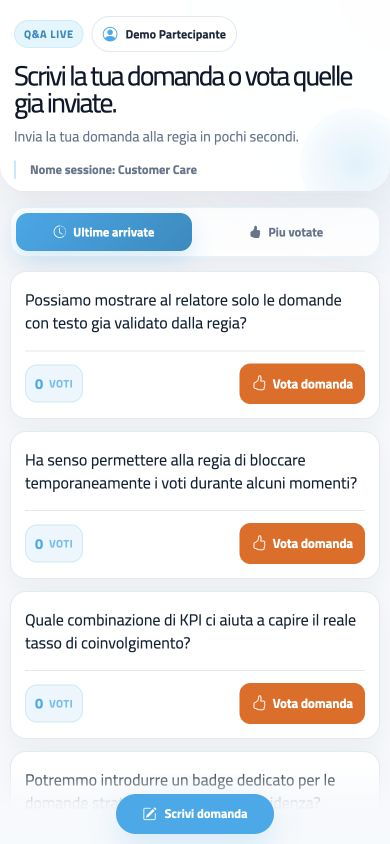
askMe screen with audience questions available for voting
Q&A
Live

Q&A moves from the audience to the stage, without confusion

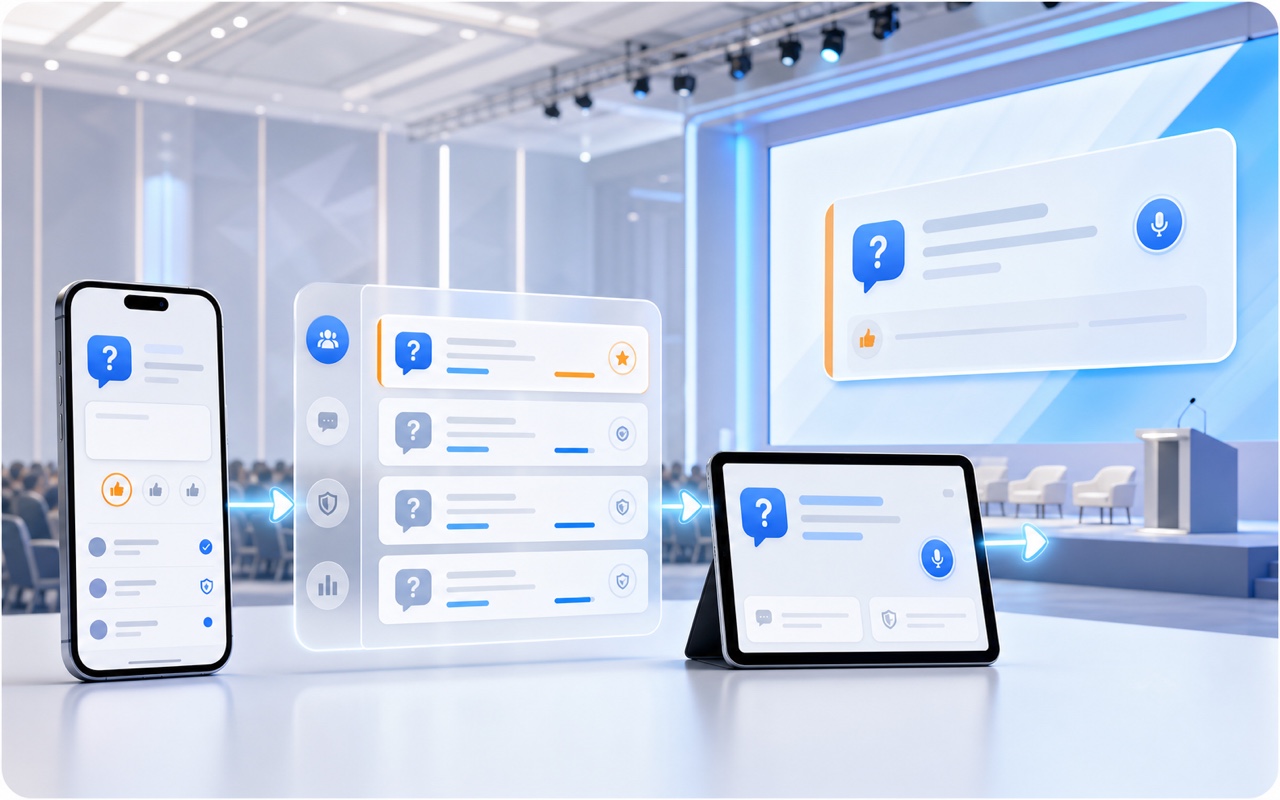
The operating logic is simple: Attendee → Control room → Speaker → Large screen.

The audience submits and votes, the control room chooses what moves forward, the speaker reads only selected questions and the room screen keeps everyone focused on the same point in the conversation.

No app

Access with QR code or link

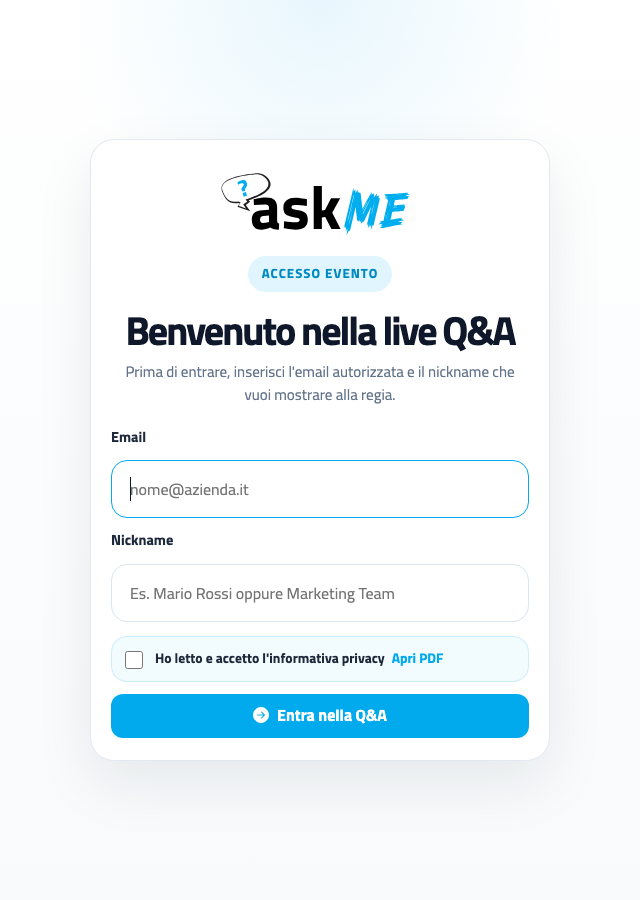
The attendee joins from the smartphone browser, with no download and no complex account.

Q&A

Audience questions in real time

Each user can read approved questions, vote on the most interesting ones and send new ideas to the control room.

Control

Moderation without stress

The control room approves, deletes, sends to the speaker, publishes live and manages prohibited words without losing control of the flow.

Voting

Priorities emerge from the audience

Votes help reveal which topics matter most to the room, so moderators and speakers know where to begin.

Speaker

Clean, readable iPad view

The speaker sees only the questions selected by the control room, without noise and without chasing a chat.

Live screen

Large screen and question queue

The live question can be shown on LED walls or projections, with the Q&A queue and session progress always clear.

Not an open chat: a live Q&A control room built for the event room

A form collects messages. A chat piles them up. askMe turns them into a manageable running order: filtered questions, clear priorities, aligned speakers, live questions on LED walls and useful data after the event.

Control before publication

Every question passes through central moderation before reaching the audience, speaker or large screen.

Calmer speaker experience

Filtered, readable content reaches the stage already prepared for the answer.

Value after the session

Questions and votes remain as concrete input for analysis, materials and follow-up.

Feature Chats or generic forms
Live Q&A control Full control

Approval, deletion, speaker routing and live publication from one flow.

Open flow

Messages are often visible without filtering or hard to coordinate during the session.

Attendee access QR code

Access via QR code or link, with no app to install and a mobile-first interface.

More steps

Accounts, external apps or links that are less immediate for people already seated in the room.

Question voting Audience priority

Approved questions can be voted by the audience so the most important themes naturally emerge.

Chronological order

Priority often depends on who writes first or who manages to get a microphone.

Speaker view Selected

The speaker sees only questions sent by the control room, with text, author or nickname, votes, time and session.

Noise

Generic chats or boards can display too much unfiltered information.

Large screen and LED wall Live screen

Main question highlighted and queue controlled by the control room, readable even from a distance.

Generic screen

Dashboards or chats are not designed for projection and large room screens.

Sessions and speakers Multi-session

The control room can create multiple Q&A sessions and route each question to the correct speaker or session.

Manual

Management is often delegated to manual filters, separate sheets or different channels.

Final data Follow-up

Questions and votes are available for reports, interest analysis, speaker materials and sponsor materials.

Poor archive

Exports do not always preserve priorities, context and session history.

Everything you need when the room starts asking live questions

askMe covers the full live question cycle: instant access, question submission, moderation, voting, speaker view, large screen and final report.

Entry

QR code and event link

Immediate browser access, with nickname or email plus nickname depending on the organizer setup.

Submit

New questions to the control room

The audience can submit questions in real time during talks, panels, workshops or training sessions.

Filter

Prohibited or banned words

The control room can manage blocked words and reduce the risk of unsuitable content.

Voting

Likes on approved questions

Voting makes the session more democratic: questions with the highest audience interest emerge.

iPad

Dedicated speaker view

A clean tablet screen, without confusing chats or non-selected content.

Queue

Live question and next questions

The control room can show current, previous and next question and Q&A queue status.

An interface the audience understands immediately

During an event, nobody has time to learn a complicated tool. With askMe, attendees join, read approved questions, vote on the most interesting ones and submit a new question in just a few steps.

From the audience to the control room, then to the speaker

askMe keeps the flow clean: the audience participates, the control room chooses, the speaker answers and the large screen makes the current question clear to the whole room.

Instant access and mobile participation

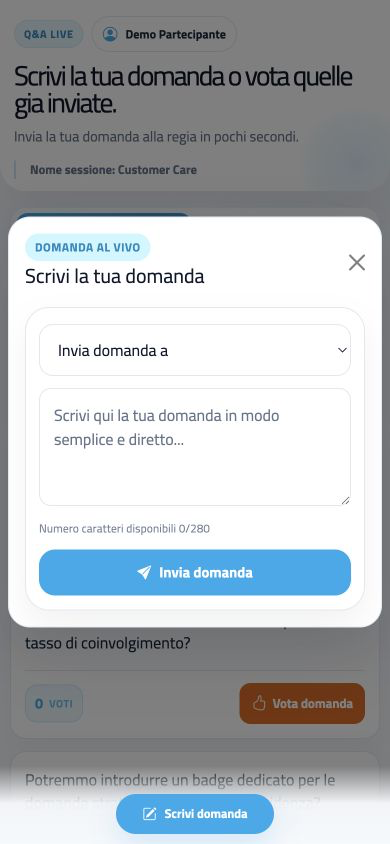
The attendee does not need to install applications or create complex accounts. They join with QR code or link, read approved questions, vote on the most interesting ones and submit new contributions.

  • Access via QR code or link
  • Nickname or email plus nickname
  • Mobile-first interface
  • Questions and votes in real time
askMe attendee screen with audience questions and votes

Central content moderation

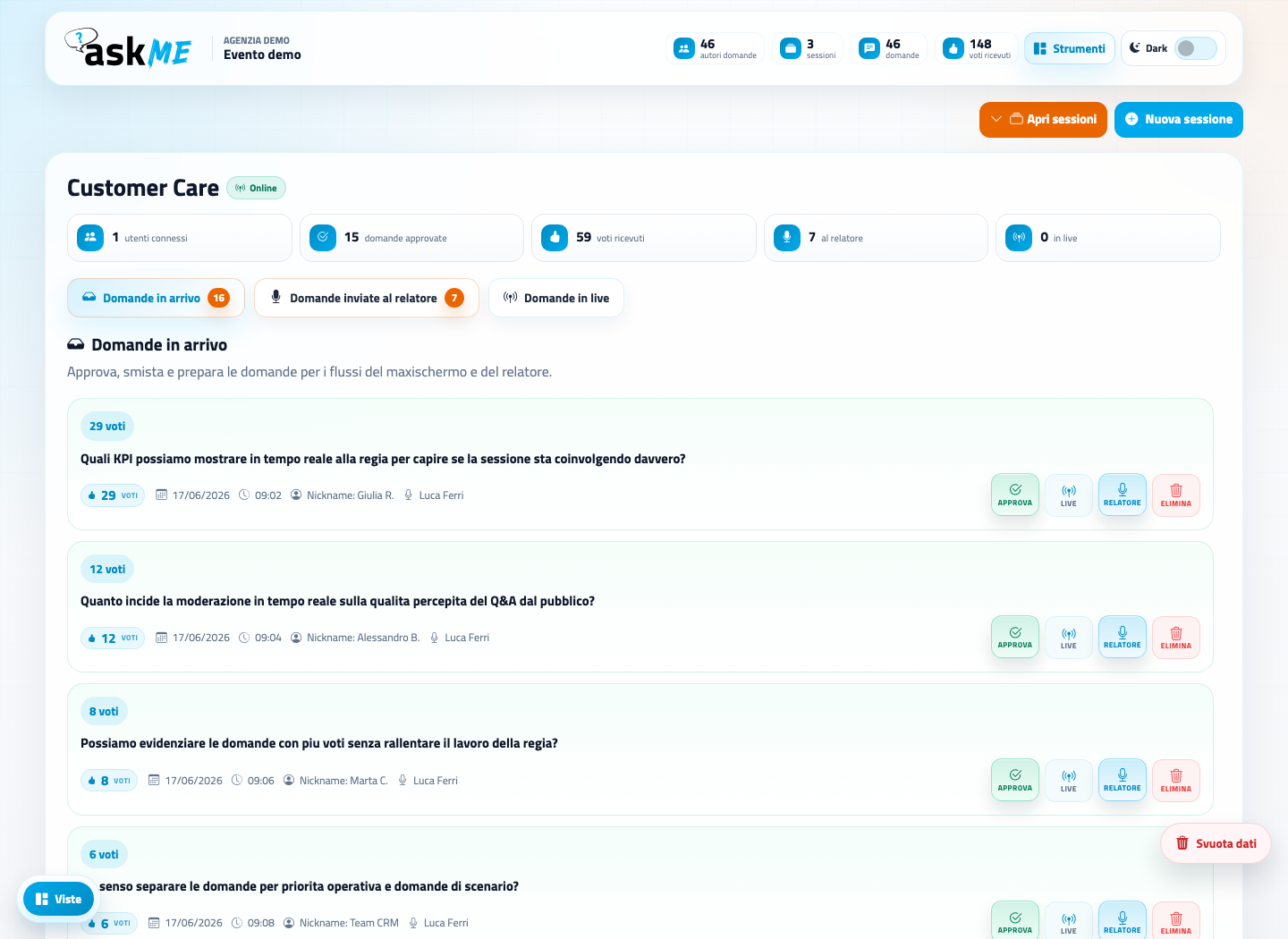
Each submitted question is not published automatically. The control room reads it, reviews it and decides the next step, keeping full control of communication.

  • Approve or delete questions
  • Send to the speaker
  • Publish on the large screen
  • Manage sessions and banned words
askMe control room with incoming questions and speaker and screen commands

iPad view with selected questions only

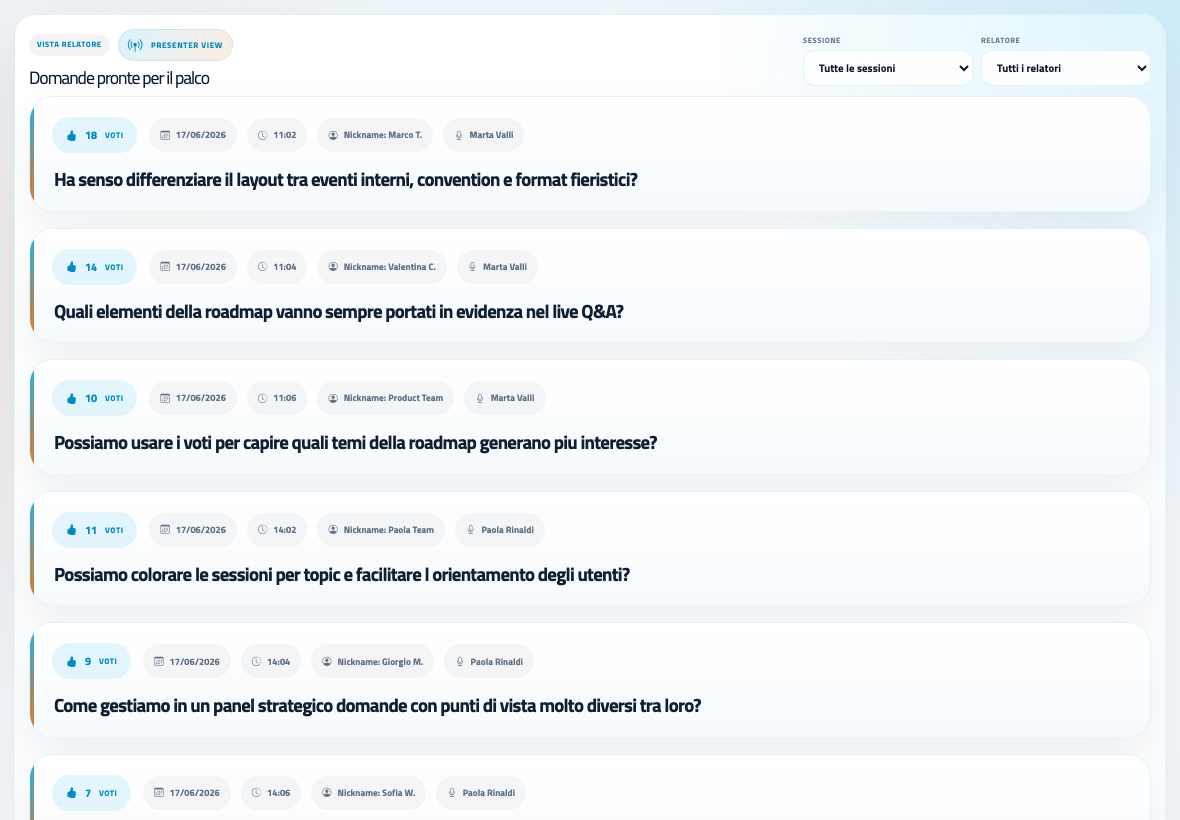
The speaker does not need to handle complex tools or confusing chats. They receive filtered, readable content ready for the answer.

  • Question text highlighted
  • Author or nickname
  • Number of votes
  • Time, session or speaker reference
askMe speaker view with questions selected by the control room

Live question and Q&A queue for the room

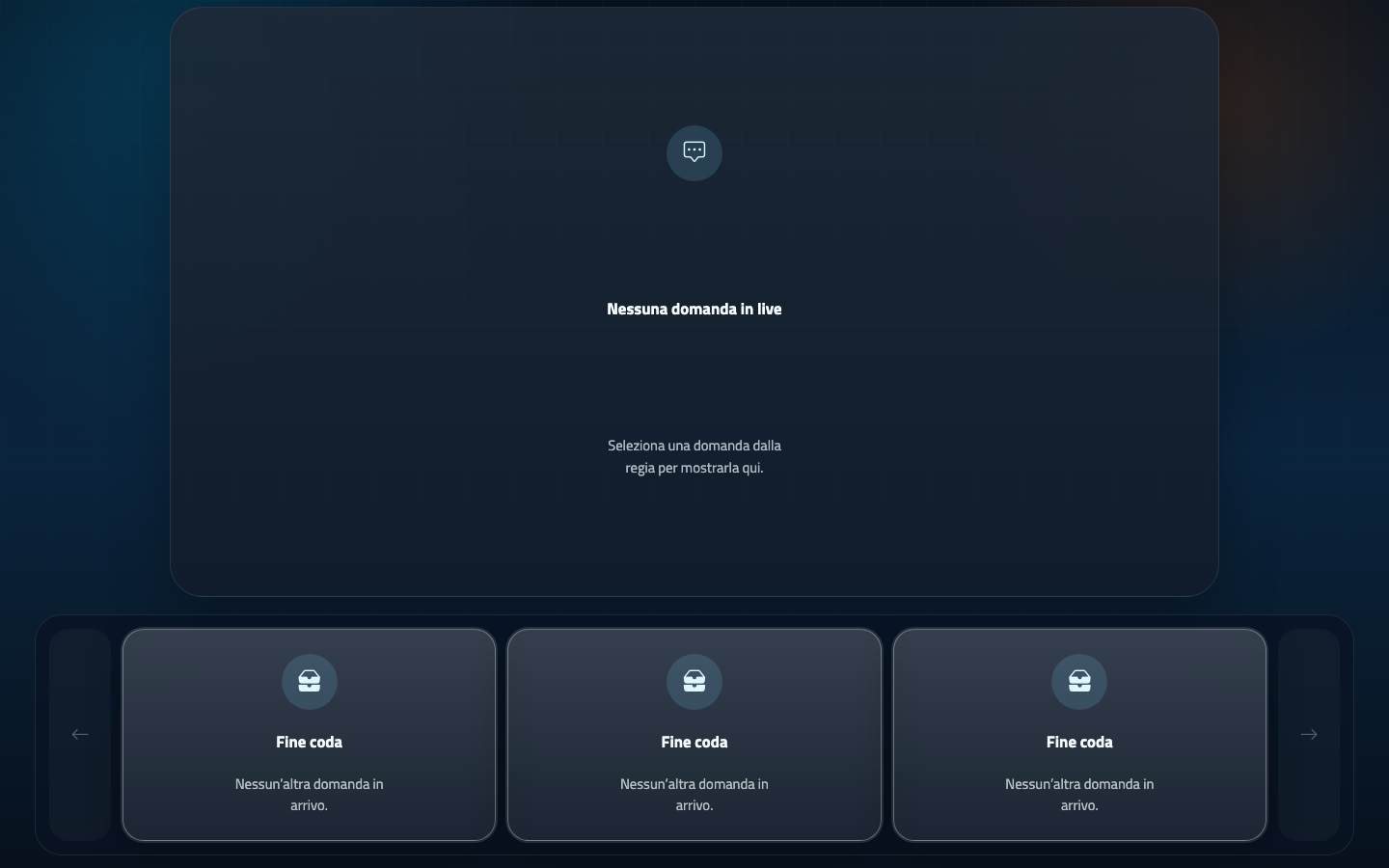
The control room decides which content to publish live and askMe displays it with a clear layout suited to large screens, projections and LED walls.

  • Main question highlighted
  • Ticker with question queue
  • Previous and next question indicators
  • End of queue status
askMe large screen view for live questions and the Q&A queue

The control room keeps the pace, the room stays focused

Live control askMe view with approved questions, votes and Q&A queue
Large screen

Live question and Q&A queue stay readable

The room display is designed for large screens, LED walls and projections, with the main question highlighted and the Q&A queue managed by the control room.

  • Live question highlighted
  • Question queue below the main question
  • Already-read question indicator
  • Previous and next question
  • End of queue shown to the room
  • Readable layout for large screens and LED walls

Small features that complete a professional Q&A workflow

Beyond the live question flow, askMe includes tools that help the team close the loop: post-event reports, event branding and display formats controlled by the control room.

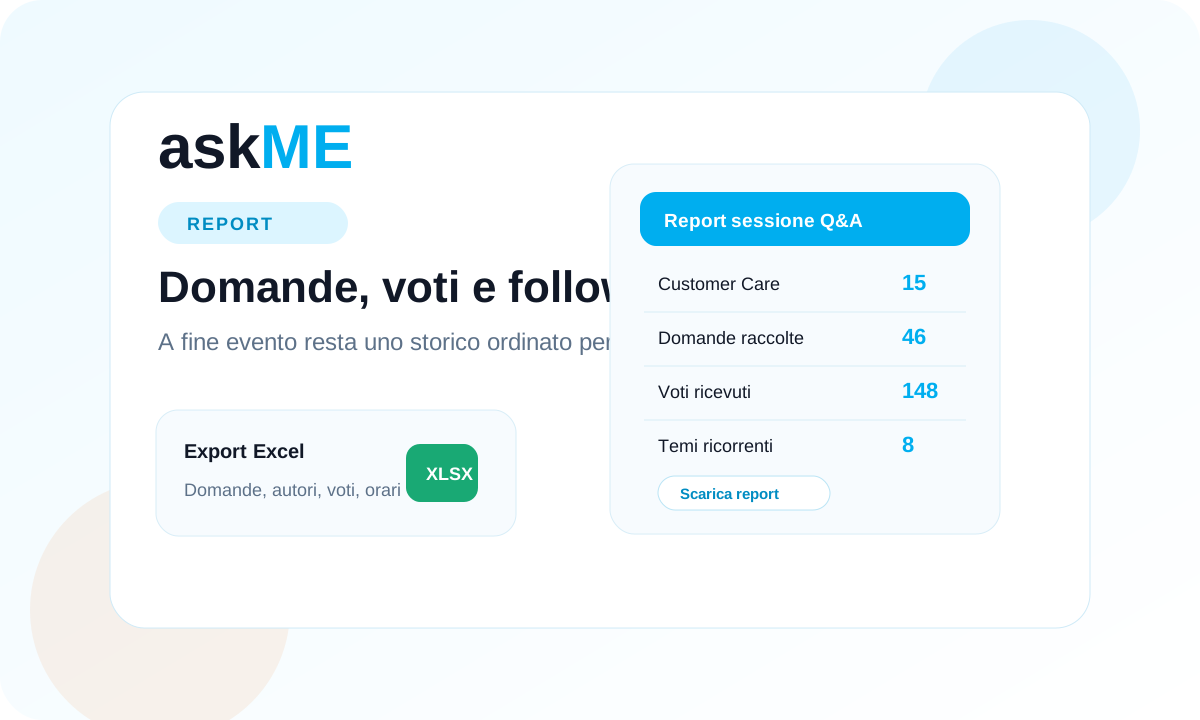
askMe report with audience questions votes and post-event data
Report

Post-event report on audience questions

Questions sent to the speaker and the votes they receive become organized material for internal analysis, speakers, sponsors and commercial follow-up.

  • Archive of collected questions
  • Count of received votes
  • Useful material for follow-up and post-event content
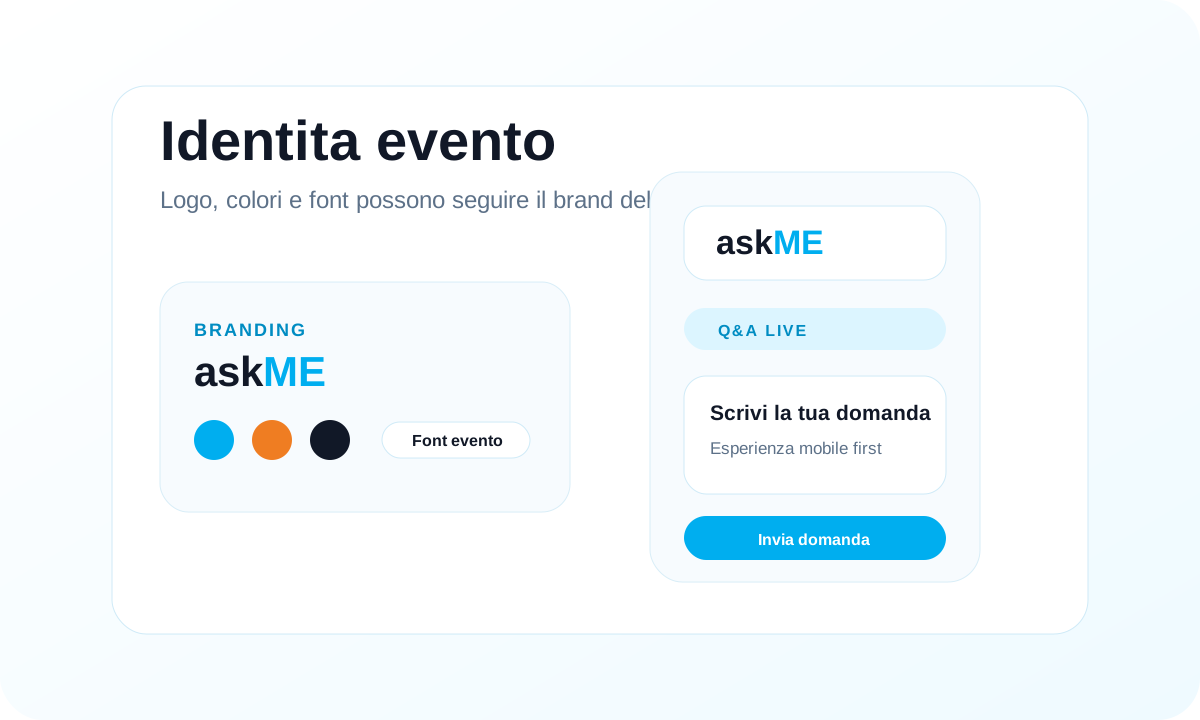
askMe graphic customization with event logo colors and fonts
Branding

Graphic customization for the Q&A experience

Logo, colors and fonts can follow the client or event identity, so the moment when the audience asks the speaker feels aligned with stage and materials.

  • Event logo or client logo
  • Color palette consistent with the visual identity
  • Interface aligned with stage, slides and event communication
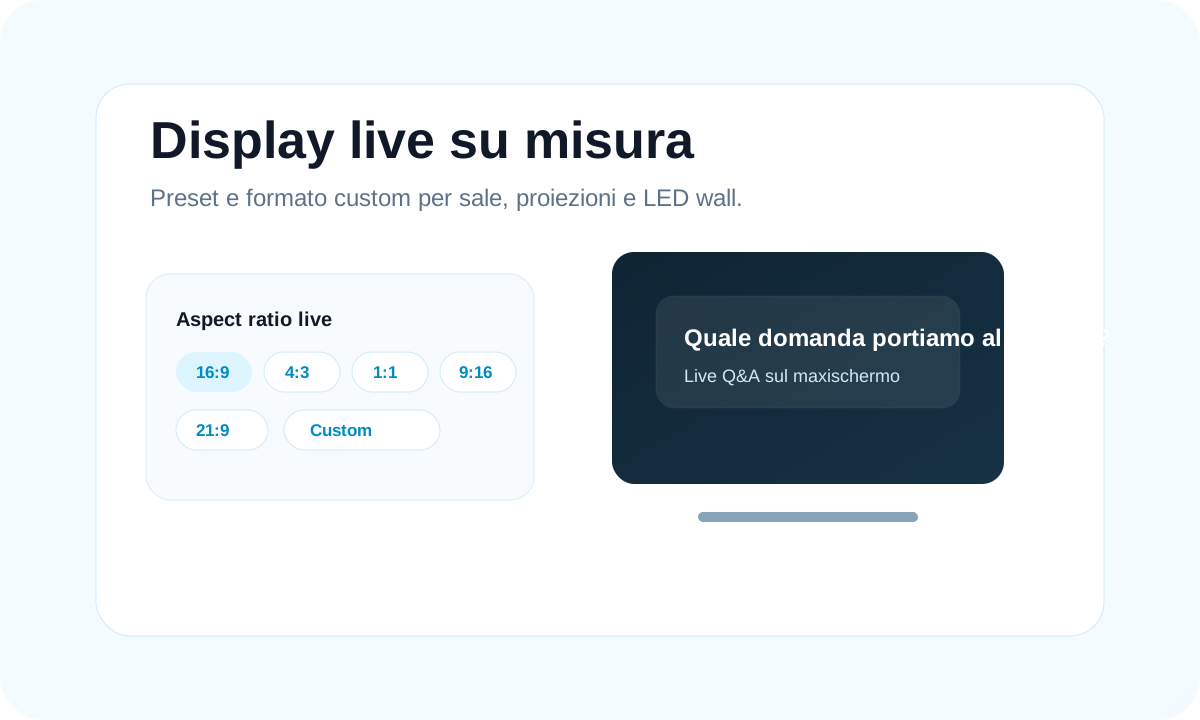
askMe live display formats with presets and custom dimensions
Display

Live dimensions for large screens and LED walls

The control room can adapt the live view to the technical setup: standard projection, panoramic LED wall, vertical display or custom room format.

  • Presets for 16:9, 4:3, 1:1, 9:16 and 21:9
  • Manual format for custom setups
  • Live question more readable on large screens and LED walls

The live question stays readable, from smartphone to LED wall

From the first QR code to the speaker view, from the votable question list to the live screen: every askMe view is designed for the real pace of an event.

When the session ends, reports and insights remain useful

Collected questions and votes show what the audience truly cared about. After the event they become material for reports, analysis, speaker and sponsor content or commercial follow-up.

Report

Question archive

Collected questions remain available to create reports and keep a useful session history.

Insight

Audience interests

Votes help identify the topics the audience cares about most and what should be explored further.

Speakers

Post-event materials

Questions can feed content for speakers, sponsors, training or post-event communications.

Follow-up

Commercial actions

Organizers can turn emerging themes into later activities and targeted follow-up.

A Q&A session that feels smoother, livelier and more useful

Participation

More audience contributions

The audience can participate easily from smartphones, even without speaking into a microphone.

Order

Questions ordered by the control room

Every question goes through the control room before being published or sent to the speaker.

Control

Communication under control

The organization decides what to show, to whom and when, reducing risk and improvisation.

Clarity

More focused speaker

The speaker receives only selected, readable content ready for the answer.

Impact

Scenic live question

The selected question can be shown on a large screen or LED wall to involve the whole room.

Value

Useful data after the live session

Questions and votes become concrete material for reports, analysis and follow-up.

Frequently asked questions about askMe

The most common questions about bringing askMe into corporate events, congresses, conventions, meetings and training sessions.

askMe is a web platform for managing live questions and moderated Q&A during events, congresses, conventions, corporate meetings, workshops and training sessions.

No. Attendees access from the browser via QR code or event link, with no app download.

No. Every question first goes through the control room, which decides whether to approve it, delete it, send it to the speaker or publish it live.

Yes. askMe can enable voting on approved questions, so the most important audience themes emerge.

Yes. Access can be kept light with a nickname, or configured with email plus nickname when the organization needs clearer attendee recognition.

The control room can avoid publishing them, keep them as a reference or choose the clearest version. This way the speaker does not receive the same topic ten times.

Yes. The speaker can use a dedicated tablet or iPad view with only the questions selected by the control room.

Yes. The control room can publish a question live on a large screen, LED wall or projection, with a layout readable in the room.

Yes. The control room can create multiple sessions and route questions to the correct speaker or session.

Yes. Collected questions and votes can be used for reports, audience-interest analysis and follow-up.

Yes, it is recommended. askMe works best when one person follows the live moderation, chooses the questions and coordinates speaker and large screen.

It is ideal for congresses, conventions, corporate meetings, conferences, workshops and training, especially when you want to collect many questions without losing order and control.
Contatti I.T.S. Planet

Want a Q&A session that really flows?

With askMe, the audience participates without friction, the control room stays in control, speakers receive selected questions and the large screen guides the room at the right moment.

R 4 T 9 Z