

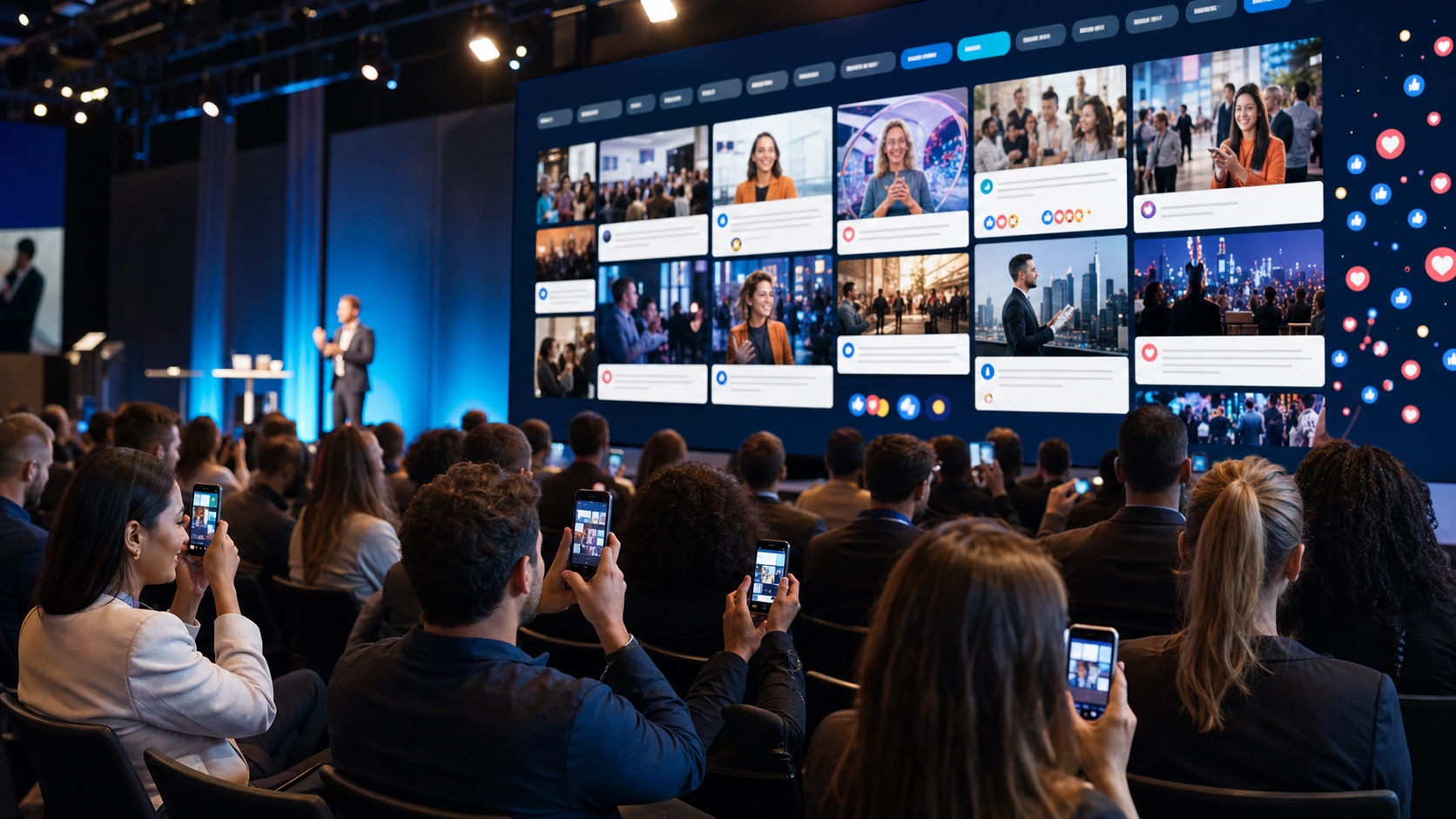
When the audience participates, the event truly feels alive

Photos, comments and hashtags matter when they reach the right place, with a control room able to choose what to show and when.
Scattered

Content spread across too many channels

Without a dedicated space, photos and messages stay in chats, social feeds or personal phones. eventWall brings them into one event flow.

Live risk

Publishing without control is not an option

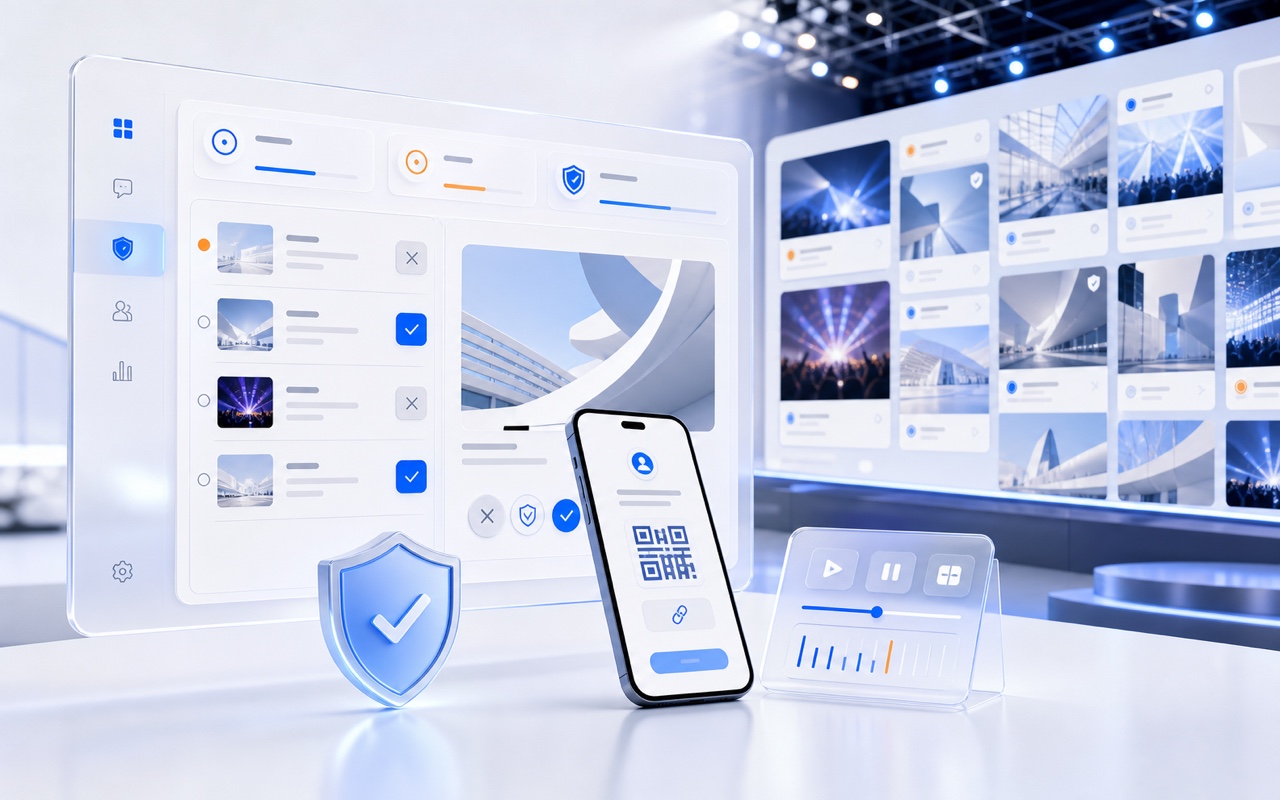
Live events need spontaneity and safety. Moderation prevents off-topic content, unsuitable words and unwanted publication.

Stage

The big screen should feel beautiful, not just full

A live wall must stay readable and scenic on LED walls, monitors, projections and vertical displays.

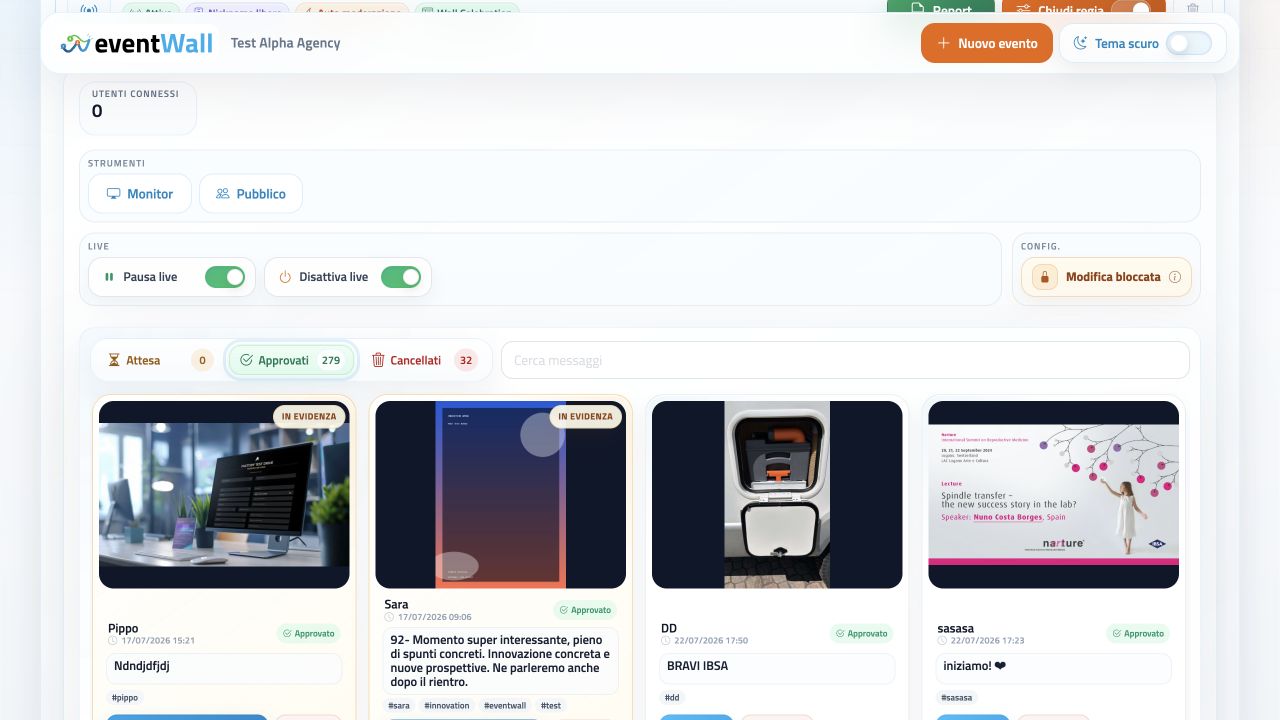
eventWall control room dashboard for managing events, posts, monitors and live content
Social
Wall

A social wall with web app, moderation and live monitor

The audience sends content from smartphones, the control room approves or highlights posts and the live wall shows them on screens, LED walls and vertical displays.

Everything works without app downloads, using QR code or link access and tools designed for live event teams: agencies, PCOs, marketing teams, technical crews and organizers.

No app

Access with QR code or link

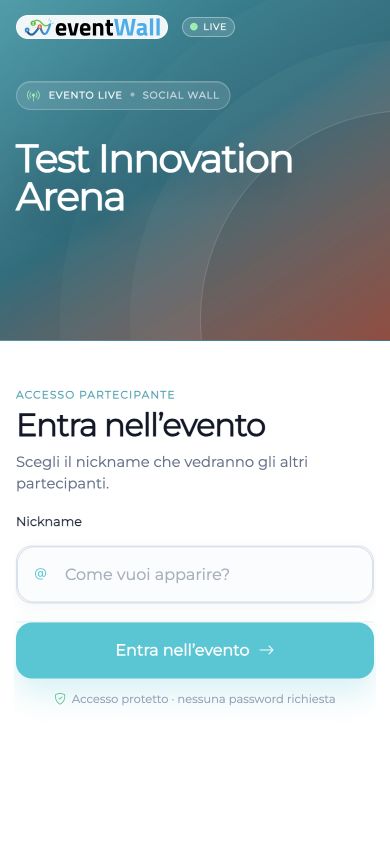
Guests open the web app from the browser, choose a nickname and join without downloads or complex accounts.

Live posts

Messages, images and hashtags

The audience can send texts, photos, hashtags and spontaneous content that reflects the atmosphere of the event.

Reactions

Event-specific emoji reactions

The organizer can configure available reactions and make the wall lighter, more dynamic and more recognizable.

Control

Manual or automatic moderation

The control room decides whether to approve each content item or publish automatically, depending on the event.

Branding

Logo, colors, fonts and layout

Each event can have its own visual identity, language, wall layout and monitor proportions.

Report

Final content export

After the event, export posts, authors, hashtags, states, reactions, previews and references to original files.

Not a projected chat: a social wall control room designed for events

Without a dedicated platform, content is scattered across chats, social networks, private galleries and direct messages. eventWall collects it, moderates it and brings it to the screen as a coherent event experience.

Designed for the room

The live wall is not a generic page: it is built for monitors, LED walls and projections.

Moderation before display

Audience spontaneity remains, while the control room decides what truly reaches the screen.

Aligned with the brand

Logo, colors, fonts and layouts make the wall part of the event scenography.

Feature Social, chat or generic galleries
Live wall for events Stage ready

Dedicated layouts for Mosaic, Feed, Cards, Fullscreen, Minimal and Celebration.

Generic

Chats or galleries are not designed for large screens, live timing or technical crews.

Guest access QR code

Fast entry via QR code or link, no app, with nickname visible on the wall.

More friction

Social accounts, external apps or steps that are not ideal for every guest in the room.

Moderation Control room

Pending, approved and deleted posts, with highlighted content and banned words.

Weak control

Content published or shared without an operational live filter.

Photos and messages Single flow

Texts, images, hashtags and reactions managed in one event environment.

Scattered

Materials split across chats, social networks, photo folders and private messages.

Display format Custom fit

Presets and manual format for 16:9, 4:3, 1:1, 9:16 and 21:9.

Rigid

Pages not optimized for panoramic LED walls, vertical displays or custom setups.

Privacy and access Configurable

Open access, nickname or authorized email list, with privacy PDF acceptance when needed.

Separate

Privacy and permissions are often managed outside the publication flow.

Final report Event Excel

Report with posts, authors, states, hashtags, reactions and images.

Fragile archive

Incomplete exports or content that must be recovered manually after the event.

Everything you need to let the audience contribute live

eventWall manages the full flow: guest access, nicknames, messages, images, hashtags, reactions, blacklist, moderation, highlighted content and final report.

Web app

Mobile attendee view

Guests join from smartphones, choose a nickname and send content through a clean, immediate interface.

Messages

Live texts and hashtags

Short messages, hashtags and comments become visible, ordered content linked to the event moment.

Photos

Images uploaded by guests

Photos are collected, validated and optimized for the wall without losing control or visual quality.

Emoji

Custom reactions

Choose the emoji reactions available for the event and make interaction more spontaneous and recognizable.

Blacklist

Banned words and moderation

Nicknames, messages and hashtags can be filtered with banned words and manual or automatic moderation.

Access

Open or reserved event

Access can be open or limited to an authorized email list for private or corporate events.

From smartphone to live wall, without friction

Guests immediately understand what to do, the control room sees everything in the dashboard and the monitor shows only content worth displaying.

A natural flow between guests, control room and big screen

Each role sees what matters: the attendee sends content, the control room selects it and the live wall makes the room energy visible.

Participation from personal smartphones

The audience does not need to install anything. Guests join via QR code or link, choose a nickname and send messages, photos, hashtags and reactions in a few steps.

  • Access via QR code or link
  • Nickname visible on the wall
  • Submission of messages and images
  • Clear and fast mobile experience
eventWall mobile access for event guests

Dashboard for posts, events and live control

The control room sees active events, pending or approved content, live monitor, QR code, wall status and operational tools in one dashboard.

  • Posts pending, approved and deleted
  • Highlighted content
  • Live pause and QR on monitor
  • Reports and access under control
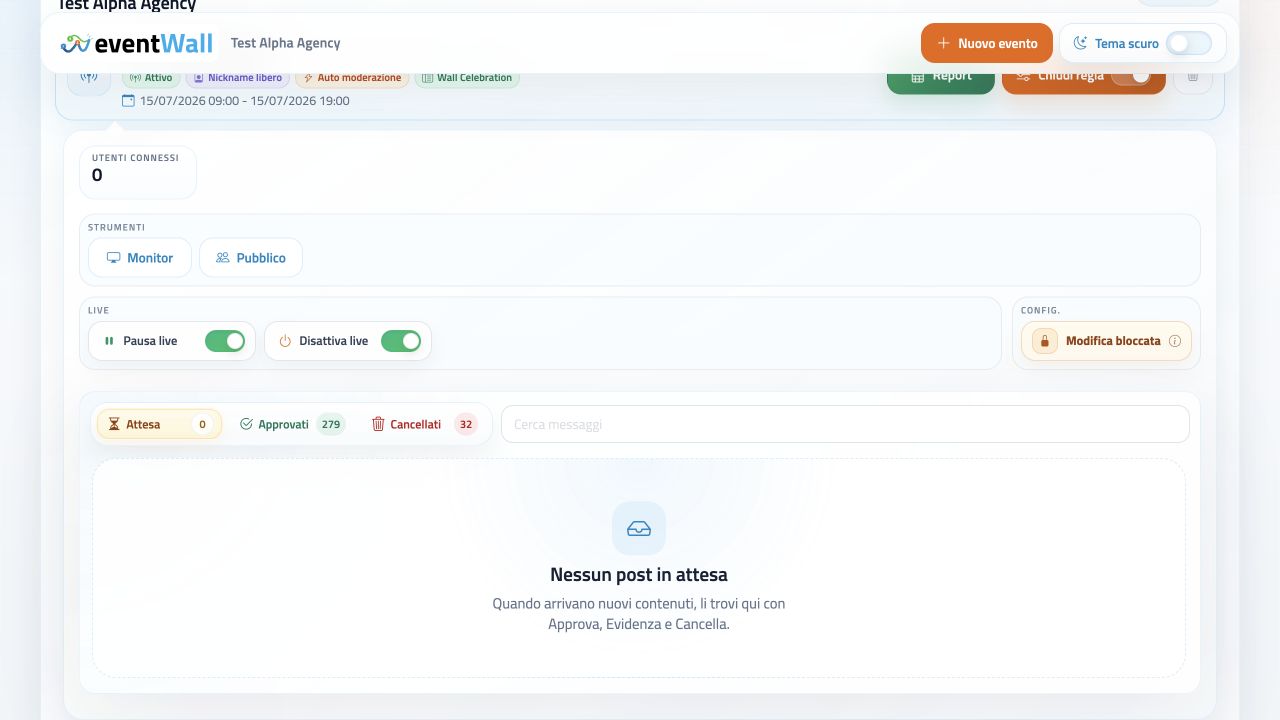
eventWall control room dashboard with events and live controls

Scenic big screen that stays readable

The live wall is optimized for rooms, LED walls, video walls, vertical monitors and projections. Layouts let the visual rhythm change during the event.

  • Layouts Mosaic, Feed, Cards
  • Fullscreen for one hero content item
  • Minimal and Celebration modes
  • Ready for LED walls and projections
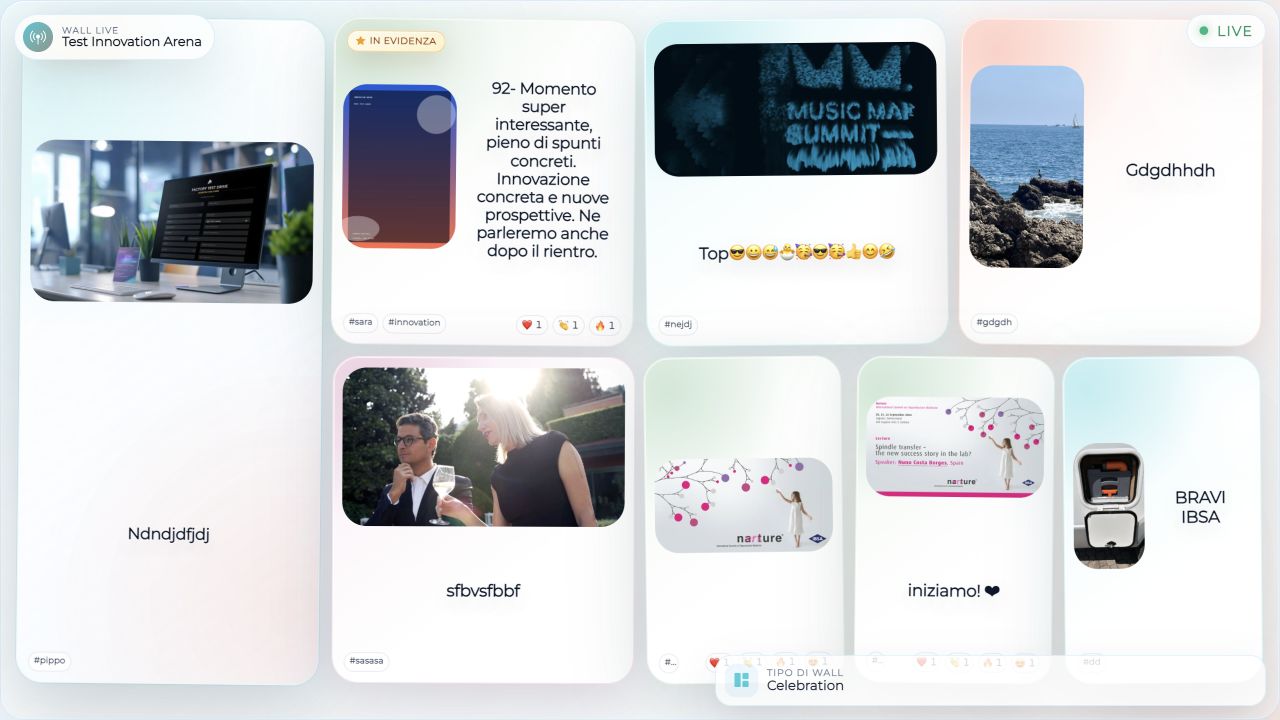
eventWall live wall in Celebration layout with audience content

Access, privacy and banned words

eventWall can manage open or reserved events, privacy PDF acceptance and custom blacklists for filtering nicknames, messages and hashtags before publication.

  • Open access or email list
  • Privacy PDF linked to the event
  • Banned word blacklist
  • Separate data and reports per event
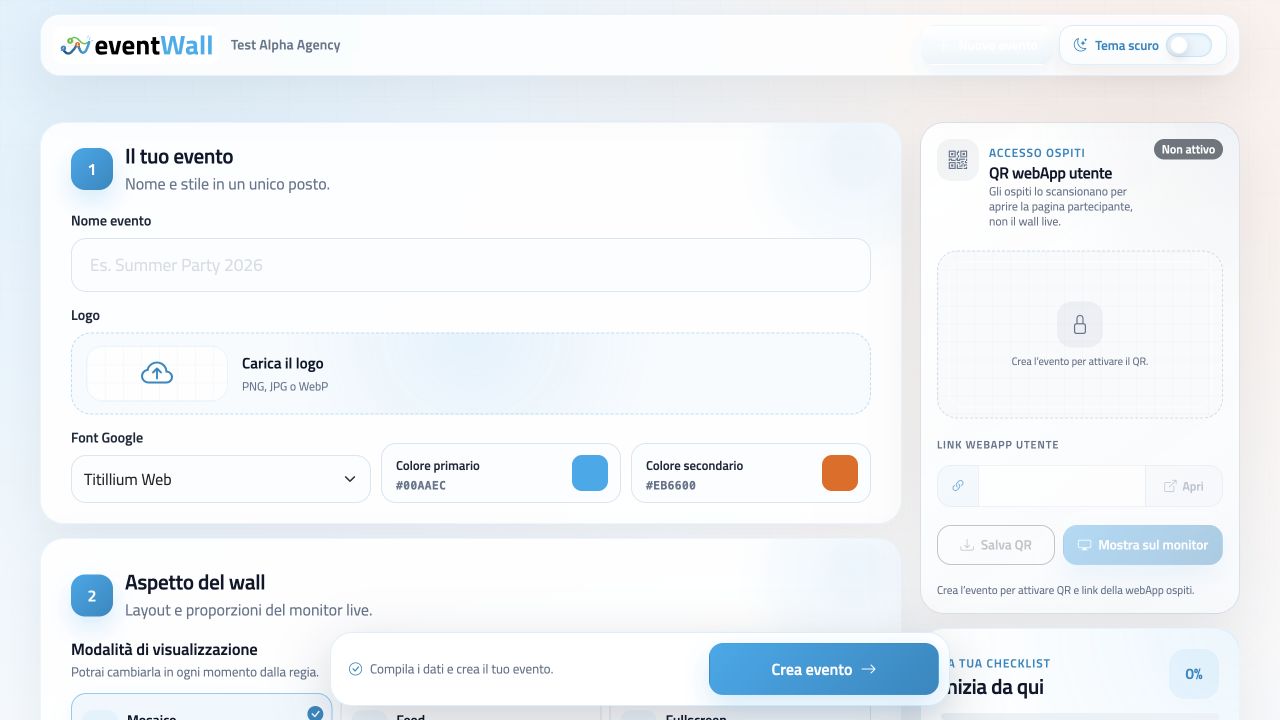
eventWall setup with guest access and event settings

The control room decides rhythm, layout and on-screen content

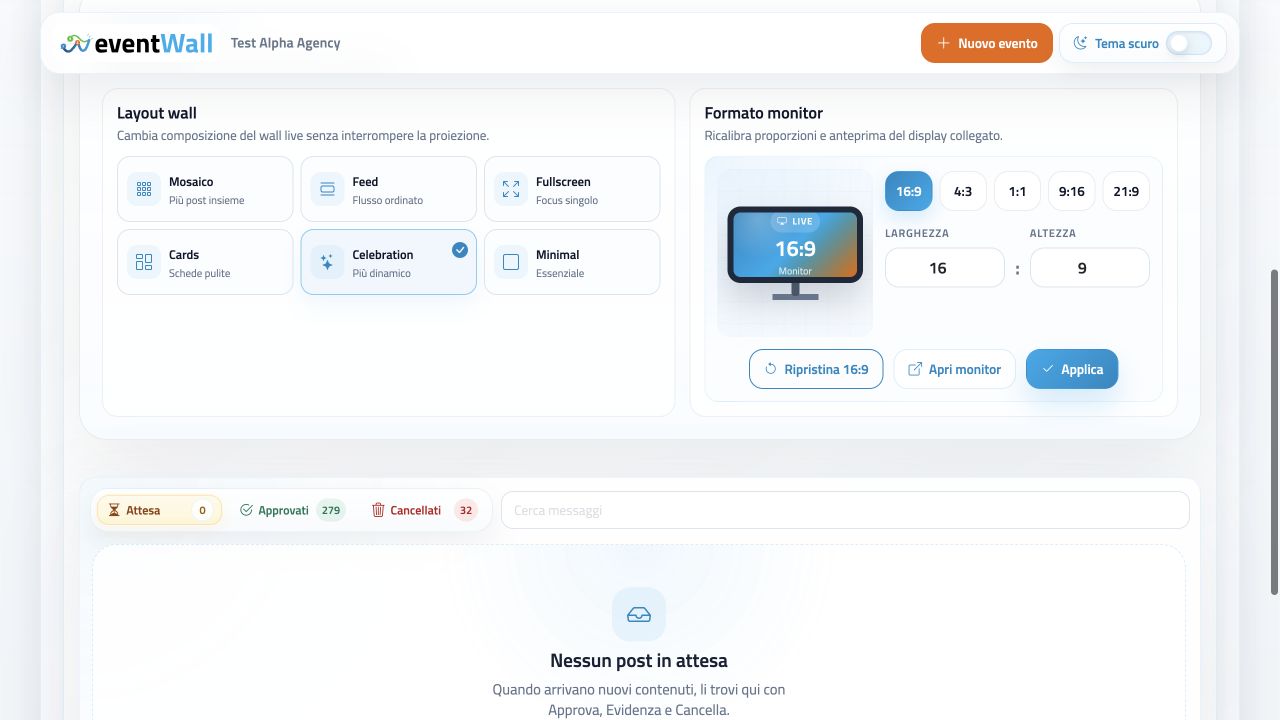
Live control eventWall control room with wall layout and custom monitor formats
Layout and display

Mosaic, Feed, Cards, Fullscreen, Minimal and Celebration

The live wall adapts to large screens, LED walls, vertical displays and projections, with layouts and proportions that can change during the live event.

  • Mosaic, Feed and Cards layouts
  • Fullscreen for hero content
  • Minimal for elegant contexts
  • Celebration for dynamic moments
  • Presets for 16:9, 4:3, 1:1, 9:16 and 21:9
  • Manual format for custom setups

Small only at first glance: reports, branding and live formats

These are the details that make eventWall ready for professional events: coherent visual identity, calibrated displays and organized data after the event.

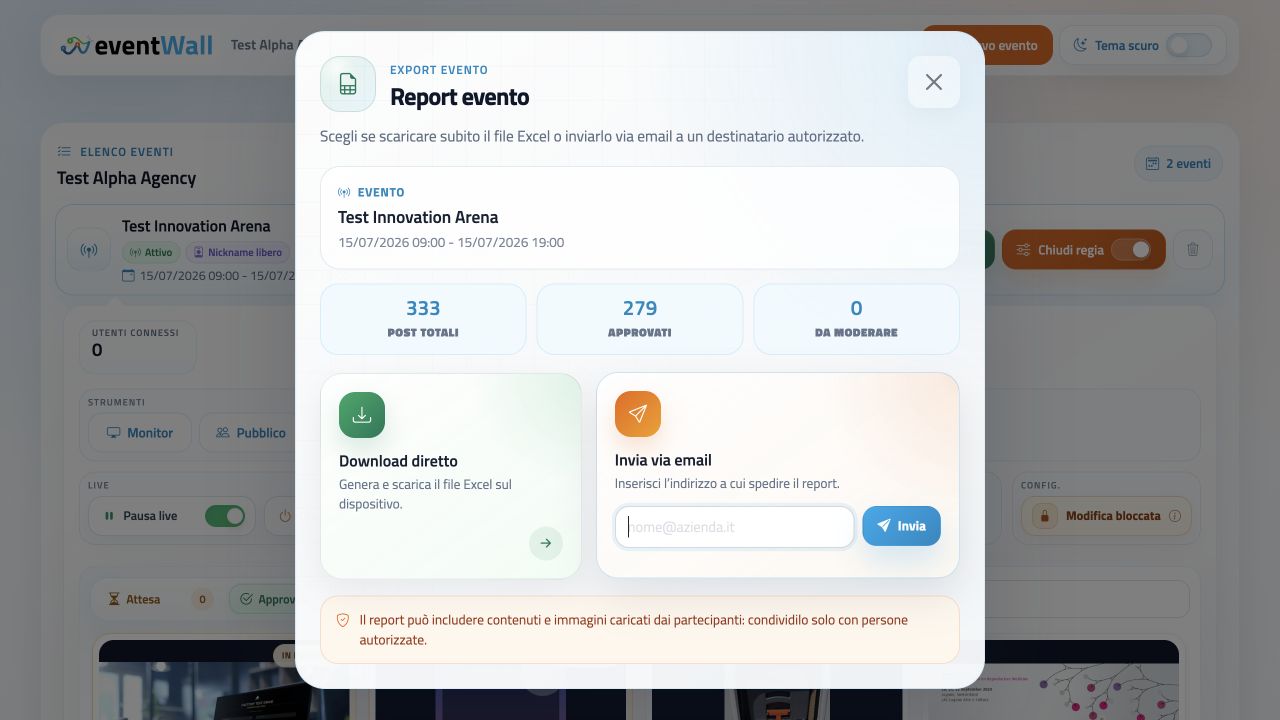
eventWall report with total approved posts and Excel download
Report

Final report with content and stats

The report helps deliver a concrete recap to the client and recover useful materials after the wall closes.

  • Posts, authors, hashtags and moderation states
  • Reactions, dates, previews and file links
  • Direct download or delivery to authorized recipients
eventWall customization with logo colors font and layout
Branding

Visual identity aligned with event and client

Logo, colors, Google Fonts and initial layout help the wall feel like part of the scenography, not a last-minute add-on.

  • Event logo or client logo
  • Primary and secondary colors
  • Fonts and layouts aligned with slides and stage
eventWall monitor format customization with live display presets
Display

Live dimensions that fit the display

The control room can calibrate the monitor view for the technical setup, from classic 16:9 to panoramic LED wall or vertical display.

  • Presets for 16:9, 4:3, 1:1, 9:16 and 21:9
  • Manual format for custom displays
  • Preview and apply from the live control room

The wall comes to life across dashboard, web app and live display

These images come from the eventWall application: control room, moderation, configuration, monitor formats, guest web app and report.

Collected content becomes useful material after the live event

Messages, photos, hashtags, reactions, moderation states and highlighted posts can become a report for the client, an event archive or material for newsletters, social posts and internal communication.

Archive

Collected material

Messages, photos and hashtags remain organized by event and recoverable after the live session.

Engagement

Readable reactions

Emoji reactions help identify the content that resonated most with the audience.

Export

Excel report

The report gathers data and content in a practical format for client, agency and follow-up.

Follow-up

Reusable content

The best posts can become material for newsletters, social recaps and internal communication.

More engagement, more content, more professional control

Participation

The audience sees itself in the event

When a contribution appears on screen, the guest feels part of the experience.

Control

The control room publishes only what matters

Moderation, blacklists and highlighted content protect quality and communication tone.

Impact

Scenic live wall

Different layouts adapt the wall to conventions, parties, award ceremonies, trade shows and meetings.

No app

Instant access from smartphone

QR code and links reduce friction and make it easy to participate in seconds.

Brand

Experience aligned with the client

Logo, colors and fonts keep the web app and wall consistent with the event identity.

Data

Value after the live event

Reports and archive turn audience spontaneity into useful, reusable material.

Frequently asked questions about eventWall

Essential answers for using eventWall in conventions, congresses, trade shows, corporate meetings, roadshows and company parties.

eventWall is a web platform for creating a live social wall during events, conventions, congresses, trade shows, corporate meetings and company parties.

No. They join from the browser through a QR code or link, choose a nickname and participate from smartphones.

Guests can send messages, photos, hashtags and interact through the reactions configured for the event.

It depends on the setup. eventWall supports manual or automatic moderation, so you can choose the right level of control.

Yes. The control room can highlight up to 3 content items, useful for special moments or particularly effective contributions.

Yes. Access can be open or limited to an authorized email list, useful for internal meetings, private conventions and invitation-only events.

Yes. The live wall is designed for large screens, LED walls, monitors, projections, video walls and vertical displays.

Layouts include Mosaic, Feed, Cards, Fullscreen, Minimal and Celebration, editable from the control room during the event.

Yes. Each event can have logo, colors, Google Fonts, language, layout and monitor proportions customized.

Yes. The report can include posts, authors, hashtags, moderation states, reactions, image previews and file links.

Yes. You can configure a banned word blacklist for nicknames, messages and hashtags.

It is ideal for conventions, congresses, trade shows, roadshows, award ceremonies, product launches, internal meetings and company parties.
Contatti I.T.S. Planet

Want to make the audience visible inside the event?

With eventWall you collect guest messages, photos, hashtags and reactions and bring them to the big screen with secure, elegant control room management.

R 4 T 9 Z